
IQANdevelop – Mobile Controller Legacy Software
Software Intended For The Service Technician, For Adding Modules and Channels To The IQAN Control System, In Order To Build Functions For The Developer’s Mobile Machine Application.
IQANdevelop supports systems that are using Parker’s IQAN-MDM legacy master/display module or the IQAN-TOC8 and IQAN-TOC2 stand-alone modules; (The IQAN-MDM & IQAN-TOC8 is in phase-out status and is not recommended for new applications),
The software is based on the different modules’ block diagrams. To add a new module, you create a new block diagram. From the block diagram, it is easy to set/edit channel parameters and measure the IQAN system.
With the navigator function in IQANdevelop, you get an overview of the connected channels in a specific function. In this way, it is easy to see how the channels interact with each other.
IQANdevelop is also a tool for measuring and troubleshooting IQAN systems. With a logging function, measurements can be viewed graphically.
IQANdevelop PRO also includes IQANsimulate. IQANsimulate allows you to verify application functions at your desk. See IQANsimulate data sheet for more information.
When ordering IQANdevelp, the following items are included:
- IQANdevelop/simulate software on USB memory (Delivered on USB flash drive, printed user manuals and cables are not included)
- 1 software license

-
Specifications
- - collapse all
Electrical
Electronic Control Systems Software tool for adding modules and channels to the IQAN control system - System
Product Type Windows PC - Interface User friendly interface - Software Windows® based software running on Windows® 95/98, NT® 4.0, 2000 or XP¹ - Module Blocks Based on different modules 'block diagrams Add a new module by creating a new block diagram - - Requirements - - CPU PC compatible, Pentium or better RAM Minimum 32 Mbyte (64 Mbyte recommended) HD 25 Mbyte memory space available Ports Serial Port RS232 Software¹ ¹IQANdevelop is a mature product and is no longer updated to meet new PC requirements Features & Benefits
Interface features Speed-buttons, status bar, and a complete on-line help system Block Diagram Easy to set/edit channel parameters and measure the IQAN system Easy to see how the channels interact with each other With navigator function you get an overview of the connected channels in a specific function Tool for measuring and troubleshooting IQAN systems - General
Levels - - IQANdevelop is divided into four levels - Read With this level the user can get information about the application and measure channels Change This level is needed to set parameters and see the application functions Develop Gives the user access to add modules and to build new functions in the IQAN system Develop PRO, (includes IQANsimulate) Same as Develop, but also gives user access to add and change functions for the internal channels - - Model, Ordering Part Number(s) - - IQANdevelop Read No license IQANdevelop Change 20005606 IQANdevelop Develop² 20004179 IQANdevelop Develop PRO 20005607 - ²Not offered in North America - - Accessories - - RS-232 cable: 1,5 meters, fits to IQAN-MDM (for PC connection to IQANdevelop) 5030024 Power and CAN cable: 2,0 meters, fits to IQAN-MDM (for PC connection to IQANsimulate) IQANdevelop PRO version only 5030034 Communication
IQAN System Via the computer's standard RS232 serial port For PC's with only USB ports an adapter will be needed - - Parameter Handling - - The channels may be monitored, calibrated, and adjusted - It is possible to set parameters for each channel such as name, unit, min-and max-current, alarm limits, and slope times - It is possible to set parameters for each channel such as name, unit, min-and max-current, alarm limits, and slope times - A channel error is instantly presented when monitoring - - - Machine Data - - All data from the IQAN system can be saved on file which enables the user to make backup copies of the system information - - - Logging - - The logger graphically presents measurement signals as a function of time and includes the provision of statistical functions such as minima, maxima, averages and true RMS A trigger function is also built-in Markets
Agriculture - Construction - Forestry - Material Handling - Specialty - Transportation - Mobile - Applications
All Mobile Equipment or Vehicle - -
Market Applications
Agricultural Machines | Dedicated Products and Solutions
For many years, GS Global Resources has been a major supplier of quality components and system solutions to the agricultural […] Read More

Concrete Pumpers Benefit from Electronic Control
Market Knowledge and Solutions GS Global Resources component and software selection for the concrete pumper industry (mobile equipment) is clearly […] Read More

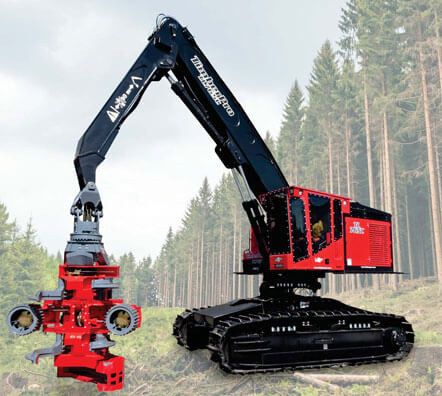
Feller Buncher
Original Equipment Manufacturer finds Competitive Advantage at GS Global Resources. Objectives for the TL765C were achieved through an – GS […] Read More
Aerial Pumper
This fire truck includes a 105′ extension boom and ladder that rotates at the base. Outriggers are deployed to stabilize […] Read More

Mobile Crane
This mobile crane has been modified for railroad track maintenance. The crane is positioned over the tracks, then guide wheels […] Read More

-
Resources
Can't find what you are looking for or need more information? Contact us
-
Request Information




