
Camera Systems: When to Integrate and When to Use a Dedicated Monitor
For most heavy equipment, integrating camera feeds into the main machine display is the cleaner choice—especially when cameras support occasional tasks like backing up, parking, or maneuvering in tight spaces. A dedicated monitor makes more sense when operators need a continuous camera view while the main display handles other functions, such as watching couplers on a rail mover during loading. The right choice depends on how operators use the machine, how much cab space is available, and whether the existing display can accept the camera’s video signal.

A Parker Hannifin MD5 with integrated 360 camera feed.
Integrated Camera Display: Less Clutter, More Cohesion
For many applications, integrating cameras into the main machine display is the preferred approach. It creates a more cohesive look inside the cab and reduces the need for additional screens. Camera images can appear on a dedicated display page or as a smaller view alongside other machine information.
This works well when cameras are needed for specific tasks rather than continuous monitoring. A backup camera or a camera used for parking and navigating tight spaces may not need to stay visible throughout normal operation. Integrating those views keeps them accessible without adding a separate monitor for occasional use.
Cab space also plays a role. When room is limited—or multiple displays are already installed—another screen can make the layout cumbersome. Its placement may also interfere with the operator’s view of their working area, creating a safety concern or an ergonomics issue. Consolidating camera feeds into an existing display can help avoid those tradeoffs.
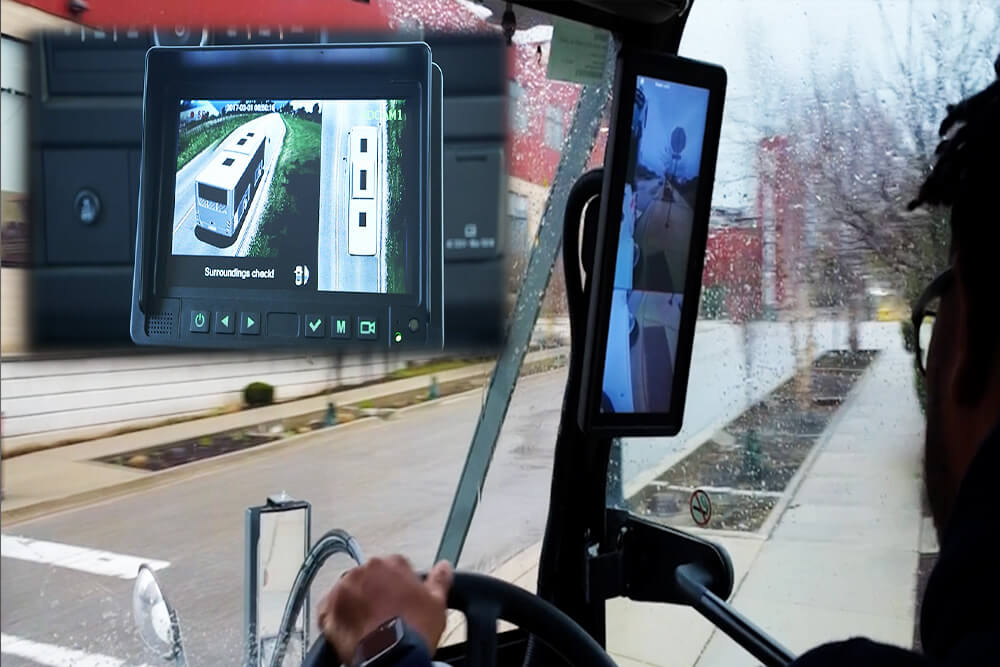
Dedicated Camera Monitor: Keeping the View Available
Some applications require operators to watch camera feeds while performing other machine functions. In those situations, a dedicated monitor can keep the camera view visible while the main display is used for other information or controls.
Taking rail machines as an example, those operators may need to see couplers and monitor the sides of the machine during loading or unloading. Large equipment with limited visibility from the cab may also benefit from a continuously available camera view.
The distinction comes down to how essential the camera is to the task. If it supports an occasional maneuver, integration may be enough. If the operator needs that view throughout operation, a separate display may be the better fit—provided there is room to position it appropriately.
Compatibility Can Change the Cost Comparison
Using an existing display does not automatically make integration the lower-cost option. The display needs to accept the camera’s video signal. If the camera and display are compatible, the connection may be straightforward. If they are not, signal conversion can add cost.
The number of viewing locations matters, too. Some IP camera systems can distribute a feed through an unmanaged network switch to multiple compatible displays. For machines that need the same camera view in different locations, that capability may influence the system design.
Let the Application Decide
| Integrated camera display | Dedicated camera monitor | |
|---|---|---|
| Best for | Cameras used for specific, occasional tasks | Cameras operators need to watch throughout operation |
| Typical uses | Backup cameras, parking, maneuvering in tight spaces | Rail movers watching couplers and machine sides during loading; large machines with limited visibility from the cab |
| How the view appears | A dedicated display page or a smaller view next to other machine information | Always visible on its own screen |
| Main display | Shared between camera views and machine information | Stays free for controls and machine information |
| Cab layout | Fewer screens and a more cohesive, finished look | Adds a screen, so it needs room for proper placement |
| Tight cabs | A good fit, especially when multiple displays are already installed | Can feel cumbersome or block the operator’s view through the windows |
| Cost considerations | Not automatically cheaper; if the display can’t accept the camera’s video signal, conversion adds cost | Adds the cost of the monitor itself, but avoids compatibility issues with the main display |
| Multiple viewing locations | Some IP camera systems can send one feed to several compatible displays through an unmanaged network switch | Each location needs its own monitor or a shared feed |
An integrated camera display is often the starting point: fewer screens, a more finished cab layout, and camera views available when needed. A dedicated monitor becomes more compelling when operators need continuous visibility while using the main display for other functions.
Before choosing, consider:
-
How often does the operator need to view the camera?
-
Does the feed need to remain visible while other machine information is displayed?
-
Is there room for another monitor without obstructing visibility?
-
Can the existing display accept the camera signal, or will conversion be required?
-
Does the same camera feed need to appear in multiple locations?
There is no single answer for every machine. The right camera display setup starts with understanding your machine and the demands placed on its operator. Whether you’re integrating camera feeds, refining the cab layout, or tackling your next machine challenge, GS Global Resources can help develop a solution around your application. Contact our team to discuss your next project.