
Choosing the Right Camera for Heavy Equipment
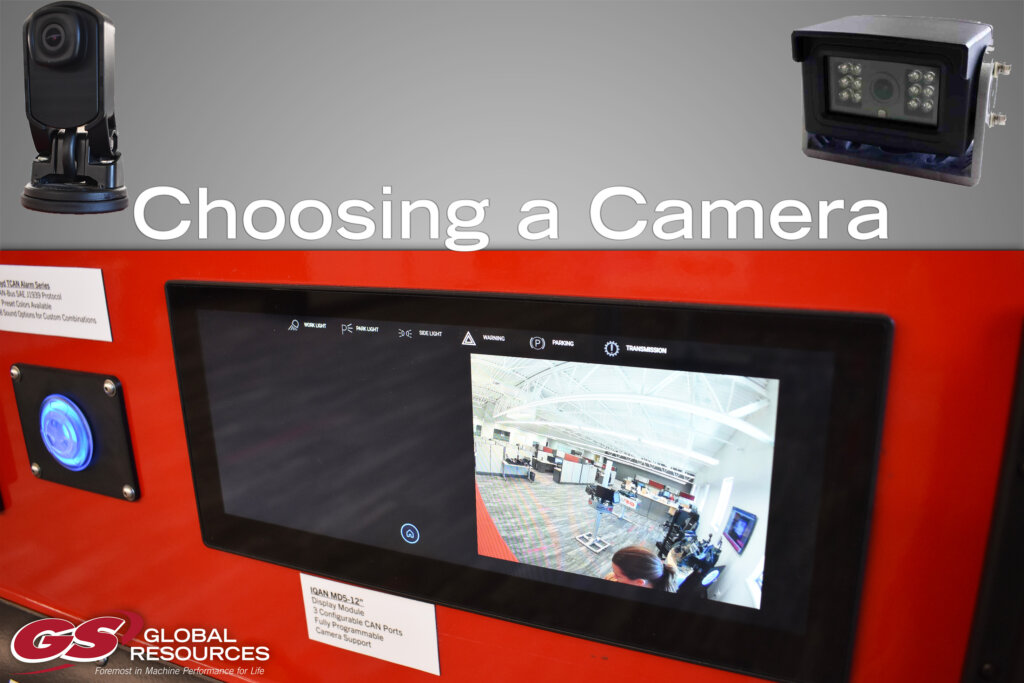
In heavy equipment manufacturing, cameras, as part of complete safety systems, are critical for OEMs to enhance operator visibility, prevent collisions, and meet stringent safety regulations in harsh environments—reducing accidents by up to 40% according to industry studies. These systems provide real-time feeds for blind spots, boosting productivity while minimizing downtime. But what camera is best for your machine’s control system? And what are the first steps to take when integrating your selected control into the machine? Here are the primary considerations and things to dig into as your start the process.
Types of Cameras
- SOME/IP: Scalable Service-Oriented Middleware over IP. ISO 17215 like the IQAN™ SV camera from Parker Hannifin.
- RTSP: Real Time Streaming Protocol. Convoy Technology’s 1910 camera is a good example.
SOME/IP cameras offer easier setup with all configurations—resolution, framerate, mirror/flip—handled directly in IQAN Design per display page, ideal for mobile machinery safety and visibility.
RTSP requires pre-configuring the camera’s GUI for settings and defining unique URL paths, with risks of cropping on mismatched display sizes.
Essential Connection and Network Setup
Your camera connection options will depend on the display. You can connect one camera directly to IQAN MD4/MD5 Ethernet ports (keep in mind that an MD5 has one port, while an MD4 has two). You can use switches for multiples, either managed or unmanaged. While unmanaged are a lower cost, all devices must have the same IP address. Managed switches do not require you to configure the IP address on the devices, but it is a bit more costly.
If you are using a SOME/IP camera, after plugging it into your display, you can configure everything, including the size of the video and orientation, within the IQAN application. If you’re using an RTSP camera, everything must be configured within the camera itself. Also, when setting up the RTSP, you need to define the correct URL path , or it won’t present the image. That URL path may be listed in the camera manual, or you may need to use a VLC viewer to find it.
Video Resolutions and Optimization Tips
One important thing to keep in mind, especially with newer displays, like the MD5 display which can be over 12 inches wide, display size will play a role in how the camera feed is programmed. Also how the video feed shows up on your display depends on which type of camera you’re using.
For SOME/IP cameras, within IQAN, the width and heigh of your camera feed can be linked to the dimensions property, but keep in mind that there are limits for each individual camera. For example, the IQAN-SV camera only supports up to 800×600. Framerate, bitrate, mirror and flip are also set in those channel properties.
Similarly, for RSTP cameras, width and height are used to define the size of the video feed, but the video is justified to the upper lefthand corner of the display. Also, when you change that feed size from its default, it doesn’t dynamically scale. So if you use a larger size the camera resolution will result in a black border along the right and bottom edges, while a smaller size than the camera resolution will result in the image being cropped. Another note to keep in mind is that if your camera supports multiple streams, you’ll need to create multiple cameras with unique paths.
| Format | Resolution | Aspect | Best For |
| QCIF | 176x120i | 4:3 | Low-bandwidth |
| CIF | 352x240i | 4:3 | Legacy reversing |
| HD | 1280x720p | 16:9 | Modern views |
| Full HD | 1920x1080p | 16:9 | High-detail monitoring |
Master IQAN Cameras with GS Global Resources Training
GS Global Resources delivers hands-on IQAN training taught by our in-house experts, covering camera integration, different software in the IQAN suite, troubleshooting, and so much more. Interested in learning more about cameras and how to build complete safety systems into your machine’s control system? Register now for our next session.




