
Pros and Cons of Popular Operator Control Layout Solutions
The possibilities are nearly endless when it comes to control layout in operator cabs. And while it is easy to get lost in your options when either creating a new cab or just re-evaluating your current machine controls, narrowing down on a few advantageous options and how they might be a good fit for your application will speed up the design process and reduce the probability of significant redesigns.
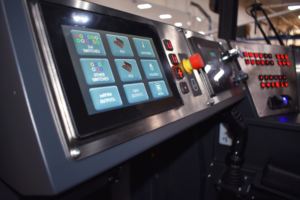
Extended Dashboard Controls
For extremely compact cabs, whose application does not require an extended view, simply placing all necessary controls in the front dashboard is a simple solution. This is a very familiar setup for most operators, as most cars have a number of dashboard controls. And if only a very narrow seat will work within the cab’s space constraints, making even an attached joystick pod unlikely, building controls into the existing dashboard is a great way to take advantage of the existing structure to incorporate the necessary function controls. However, the ability to utilize the entire dashboard means an OEM must be very intentional in the control layout. Highly trafficked, application specific controls should be kept in easy reach of the operator at a resting position, while controls used less often can be put in less prominent positions.
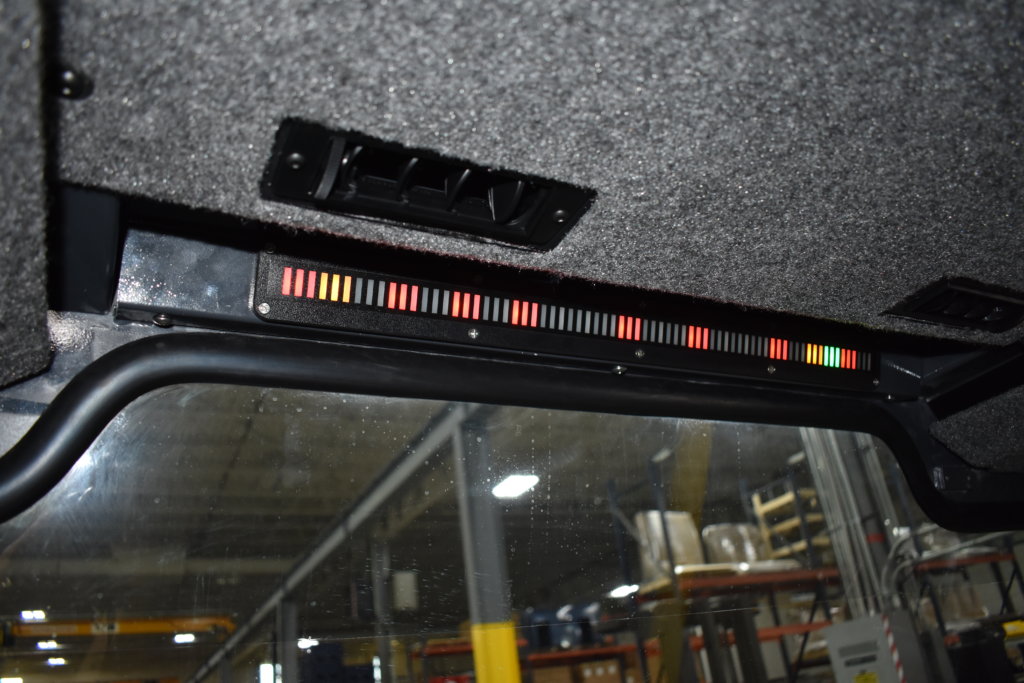
Headliner Informational Display
If the dashboard isn’t ideal for additional controls either due to a longer windshield or other space constraints, locating them just above the windshield is another option to consider. It provides most of the same benefits as dashboard controls by staying out of the operator’s direct sightline, while still making it easy for them to see machine information or be alerted to issues easily while simultaneously executing the machine functions. For example, the load indicator display shown above gives the operator vital information and how it changes while performing a task without significant interruption or distraction.

A & B Post Pillar Controls
If your machine’s application requires a bigger view, eliminating a dashboard almost entirely or moving it much lower, and requires a narrower seat due to space constraints, post pillar controls can be the most practical options for additional controls beyond a smaller attached joystick pod. This option keeps highly used controls safely out of the operator’s direct sight line, but close enough that they can be easily used without the operator completely stopping the job in order to reach down to lower front controls.

Standalone Operator Consoles
Another option for narrow cabs would be a separate console. While this takes up a bit more space than building controls into the dashboard, a standalone console can be placed anywhere in the cab, meaning it will not automatically impede the operator’s vision. This option is also one of the most versatile. First, you can create a console that is easily adjustable, guaranteeing ergonomic optimization across different operator sizes and desired positions of the console. Furthermore, you can utilize more than one coordinating console if you want a similar layout to a full armrest, but with the added adjustability of a console.

Full Armrest Assemblies
While slightly less flexible than a separate console, full armrest assemblies can still maintain a certain degree of adjustability, such as a vertical lift or multi-axis movement. And armrests are certainly the most diverse option because of the different approaches you can take. An attached joystick pod with only a few additional switches is a simpler option, while a larger armrest can include attached displays, multiple switch panels, as well as numerous other control options. While the armrest size is limited by the weight its seat can support and the cab size, a custom armrest can be truly customized by the OEM in almost every way.




